# 3D Graphics Programming ## From empty project to hello triangle Vitalijs Komasilovs --v-- ## Digital Content Creation <div class="r-stack r-stretch"> <img src="img/examples/zbrush.jpg" class="fragment"> <img src="img/examples/maya.jpg" class="fragment"> <img src="img/examples/blender-modeling.jpg" class="fragment"> <img src="img/examples/blender-flow.jpg" class="fragment"> </div> Notes: DCCs are for making nice looking images and/or animations. - https://80.lv/articles/check-out-this-mind-blowing-hard-surface-3d-character-sculpt-made-in-zbrush - https://www.autodesk.com/products/maya/features - https://www.blender.org/ - https://www.cined.com/the-making-of-flow-a-journey-of-self-learning-and-courage/ --v-- ## Computer-Aided Design <div class="r-stack r-stretch"> <img src="img/examples/sketchup.png" class="fragment"> <img src="img/examples/fusion360.jpg" class="fragment"> <img src="img/examples/freecad.webp" class="fragment"> </div> Notes: CADs are for precise design and schematic images - https://www.blender3darchitect.com/sketchup/sketchup-pro-2024-released-how-to-download/ - https://bitfab.io/blog/fusion-360-3d-printing/ - https://www.reddit.com/r/FreeCAD/comments/1nadauj/what_did_you_design_first_on_freecad/ --v-- ## Scientific applications <div class="r-stack r-stretch"> <img src="img/examples/medicine.jpeg" class="fragment"> <img src="img/examples/cosmic-sim.png" class="fragment"> <img src="img/examples/les.webp" class="fragment"> </div> Notes: Usually calculations are more important, 3D is just for visualization. - https://pubs.rsna.org/doi/abs/10.1148/rg.2015140320 - https://rheologic.net/services/wind-turbine-positioning/ - https://wwwmpa.mpa-garching.mpg.de/galform/data_vis/ --v-- ## Game engines <div class="r-stack r-stretch"> <img src="img/examples/unity.avif" class="fragment"> <img src="img/examples/unreal.avif" class="fragment"> <img src="img/examples/godot-dogwalk.jpg" class="fragment"> </div> Notes: Interactive user experience for various purposes (not only games). - https://unity.com/blog/industry-customer-success-stories-2025-round-up - https://www.unrealengine.com/en-US/blog/unreal-engine-5-1-is-now-available - https://store.steampowered.com/app/3833380/DOGWALK__Supporter_Pack/ --v-- ## Video games <div class="r-stack r-stretch"> <img src="img/examples/the-witcher-3-1.jpg" class="fragment"> <img src="img/examples/the-witcher-3-3.jpg" class="fragment"> <img src="img/examples/tim-coddens-tim-coddens-thegoblincamp-06.jpg" class="fragment"> <img src="img/examples/elise-rochefort-shar-nightsongtemple1b.jpg" class="fragment"> </div> Notes: Some are true works of art, most are just casinos with nice pixels. - https://gamingbolt.com/new-witcher-3-wild-hunt-screenshots-promise-an-exciting-epic - https://www.artstation.com/artwork/5vRvwz - https://www.artstation.com/artwork/29Km5B --s-- > "If you want to master something, teach it."<br> - Richard Feynman --v-- ## Idea of seminars - Learn 3D graphics programming starting *from scratch*. - Explain general *principles and reasoning*, instead of providing only working source code. Notes: Understand what is happening behind the scenes in "other" 3D software. Use online resources, but update/reorganize them for better clarity. --v-- ### OpenGL ```mermaid graph LR start(( )) --> window[Empty<br>window] --> hello[Hello<br>triangle] --> Textures --> Meshes --> lighting[Dynamic<br>lighting] --> etc[...] ``` ### Vulkan ```mermaid graph LR start(( )) --> same[...] --> shadows[Shadow<br>mapping] --> deferred[Deferred<br>Shading] --> prb[Physically<br>Based<br>Rendering] --> rays[Ray<br>tracing] --> etc[...] ``` Notes: Learn 3D graphics basics in OpenGL. Then switch to Vulkan, repeat the same basics and continue with more interesting topics. --v-- ## Used sources - https://learnopengl.com/ - https://docs.vulkan.org/tutorial/latest/ - https://vulkan-tutorial.com/ - https://vkguide.dev/ - https://howtovulkan.com/ --s-- ## Rendering process  Notes: Transform representation of 3D world to 2D image (colored pixels) and maybe show it on screen. --v-- ## Naive approach ```c++ for (int x = 0; x < image.width; x++) { for (int y = 0; y < image.height; y++) { image[x, y] = getPixelColor(x, y); } } ``` Notes: `getPixelColor` implements some sort of rendering algorithm. Simplistic, stylized, cartoon shading, photorealistic, ray tracing, etc. --v--  <!-- .element class="r-stretch" --> Notes: Simulates light's physical behavior (ray tracing). --v-- <div class='cols'><div>  Render time: ~15 minutes <!-- .element class="fragment" --> </div><div> | Resolution | Megapixels | | ------------------: | ---: | | HD (1280x720) | 0.92 | | Full HD (1920x1080) | 2.07 | | Quad HD (2560x1440) | 3.69 | | 4K UHD (3840x2160) | 8.29 | </div></div> Notes: Modern resolutions, huge amounts of processing, takes long time. --v-- ## Real time rendering <div class='cols'><div> - Interactive user experience - Higher level primitives - Hardware acceleration </div><div> | FPS | Time | | --: | ----: | | 60 | ~16ms | | 144 | ~7ms | </div></div> Notes: We aim for interactive user experience. Work with higher level primitives instead of pixels. Offload processing to dedicated hardware - GPUs. --s-- ## Graphics Processing Unit ```mermaid graph TD; cpu(😎 CPU) cpu <---> Disks["fa:fa-hdd Disks"] cpu <---> Memory["fa:fa-memory Memory"] cpu <---> Peripherals["fa:fa-mouse Peripherals"] cpu <---> Network["fa:fa-network-wired Network"] gpu(😳 GPU) gpu <---> gMemory["fa:fa-square-binary Memory"] classDef large font-size: 36 class cpu large; class gpu large; ``` <!-- .element class="full-width" --> Notes: CPU is universal processing unit, works with other devices, features interrupts, complex flows, etc. GPU is specialized for graphics/compute pipelines, works with bytes (memory). Can be integrated with main CPU (e.g. laptops). CPU: 4-16 cores, GPU: 4-16k cores. --v-- ## Graphics pipeline  <!-- .element class="full-width" --> Notes: Bare minimum GPU implements graphics pipeline. Simplified view, modern pipelines are more complex. Sequence of operations, transform inputs to the colored pixels. Inputs are some higher level primitives, not pixels. - Input assembler extracts raw vertex data from buffers. - Vertex shader runs for every vertex (usually applies transforms). - Rasterization brakes primitive into fragments. - Fragment shader runs for every fragment (usually determines its color). - Color blending mixes fragments for one pixel. --v-- ## Graphics pipeline (actual)  Notes: From Vulkan documentation --v-- ## System components ```mermaid flowchart LR subgraph host[Host] cpu["fa:fa-microchip CPU"] ram["fa:fa-memory RAM"] app[Application] drv[Driver] end subgraph dev[Device] gpu["fa:fa-microchip GPU"] vram["fa:fa-memory VRAM"] pipe[Pipeline] --> frame[Frame] end cpu --- ram gpu --- vram app -- Graphics API ---> drv drv ---> pipe frame --> Screen style app stroke:orange; ``` <!-- .element class="full-width" --> Notes: Async architecture similar to *client-server*. Host: computer itself with OS and application. Device: dedicated board or logical component (e.g. integrated GPU in laptop). API: "language" for interacting with the driver. --v-- ## Graphics APIs  Notes: Started in 1990s with proprietary device specific APIs. OpenGL: cross-language, cross-platform API for graphics. Vulkan: a ground-up redesign of API, not backwards compatible with OpenGL. DirectX: Microsoft's take on graphics API. 12th version offers low-level API. Metal: Apple's graphics API There are also APIs dedicated for compute. --v-- ## Working with API functions ```mermaid flowchart LR subgraph app[Application] hdr[Headers] ldr[Loader] main[Main logic] end subgraph drv[Driver] api[API functions] end ldr <---> drv hdr --> main ldr --> main main --> api drv <--> Device style main stroke:orange; ``` Notes: API is a specification, driver "promises" to act according to it. Sometimes it "cheats" or "misbehaves". Actual API implementation is part of driver and is usually exposed as `C` functions (due to compatibility). Headers provide the signatures of the functions (names, parameters). Loader helps to locate binary implementation of the functions. Application calls the API functions. We will use `C++` for our project. There are binding layers in case of other languages. --s-- ## Development tools > "Coding is basically just ifs and for loops" - John Carmack <!-- .element class="full-width" --> - C++23 - only ifs and loops, nothing fancy - decent C++ compiler - Clang, MSVC, GCC - CMake for build management - IDE for syntax and autocomplete - VS Code, neovim, VS, CLion, ... Notes: C++23 because I like `std::println` :) --v-- ## Demo project https://vitaljok.github.io/cg-demo/ <div class='cols'><div>  <!-- .element style="margin:0" --> </div><div> ```bash git clone https://github.com/Vitaljok/cg-demo.git cd cg-demo git checkout 01-window cmake -S . -B build cmake --build build ``` </div></div> Notes: Project web page contains slides and source code. The source code is organized in branches. --v-- ## Project structure ```cmake cg-demo/ +-- CMakeLists.txt # root CMake script +-- assets/ # textures, models, shaders, etc +-- cmake/ # useful CMake scripts +-- shared/ # useful utility functions +-- ext/ # external libraries +-- CMakeLists.txt +-- glad/ +-- opengl-demo/ # current demo application +-- CMakeLists.txt +-- main.cpp +-- vulkan-demo/ # maybe some day :) ``` Notes: Assets are files loaded by the application during runtime. --v-- ## CMake 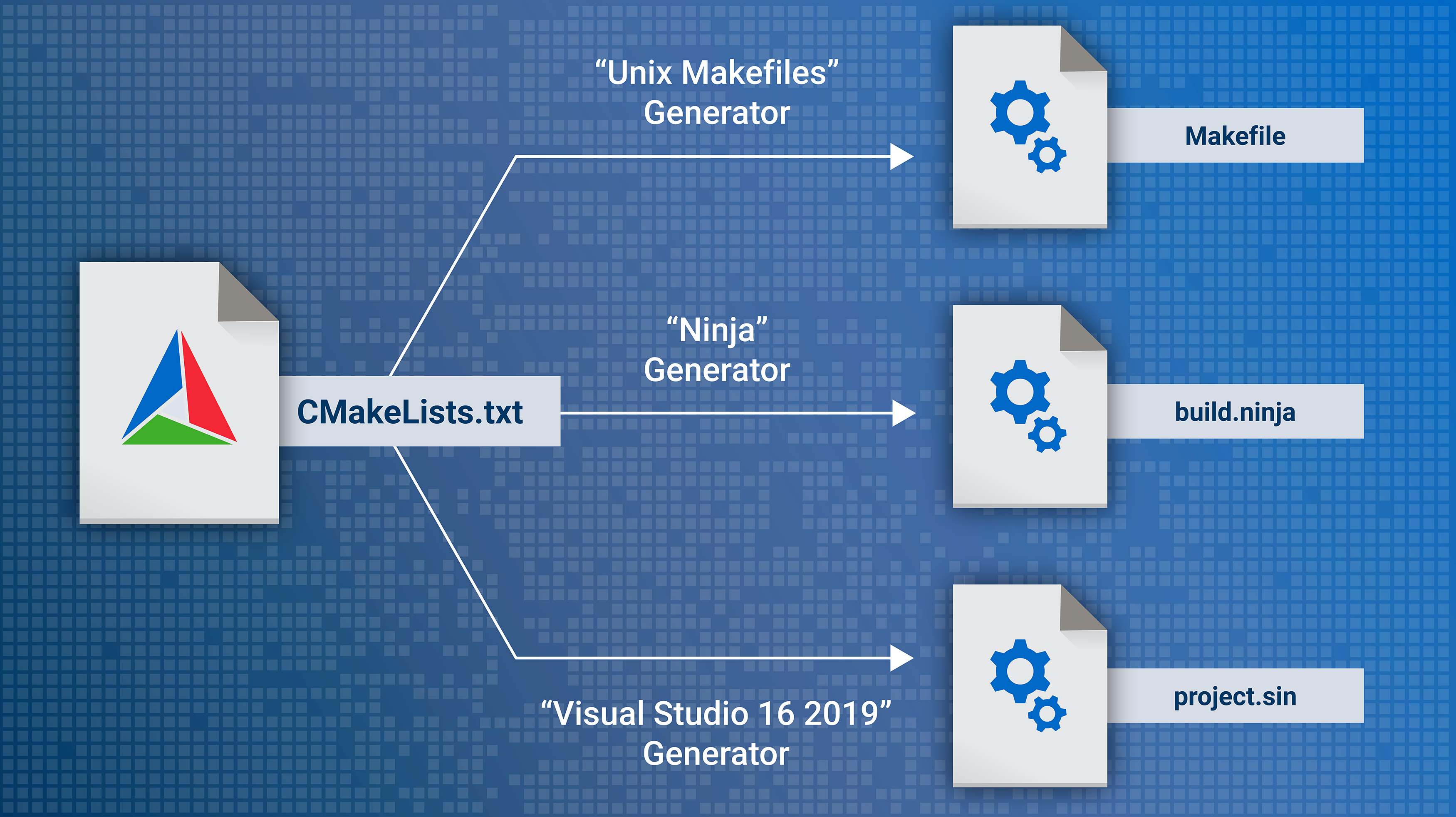 <!-- .element class="r-stretch" --> Notes: A tool to manage building of source code. Generates modern build systems as well as project files for IDEs. --v-- ## Root CMake script ```cmake # ./CMakeLists.txt cmake_minimum_required(VERSION 3.23) project("CG Demo" LANGUAGES CXX C) set(CMAKE_CXX_STANDARD 23) if (MSVC) add_compile_options(/W4) else() add_compile_options(-Wall -Wextra -Wpedantic) endif() add_subdirectory(ext) add_subdirectory(opengl-demo) ``` --v-- ## External libraries: GLFW Simple multi-platform library for creating windows ```cmake # ./ext/CMakeLists.txt Include(FetchContent) # GLFW FetchContent_Declare( glfw GIT_REPOSITORY https://github.com/glfw/glfw.git GIT_TAG 3.4 GIT_SHALLOW TRUE ) FetchContent_MakeAvailable(glfw) add_library(glfw::glfw ALIAS glfw) # good practice to avoid collisions ``` Notes: There are many ways to add external libraries to the project: - system-wide installation - binary distributions - git submodules - copy of source code - etc. `FetchContent` automatically downloads and builds source code of the library. --v-- ## External libraries: GLAD Multi-Language OpenGL loader-generator (https://gen.glad.sh/) ```cmake # ./ext/CMakeLists.txt # GLAD (downloaded from https://gen.glad.sh/) add_library(glad STATIC glad/src/gl.c ) target_include_directories(glad PUBLIC glad/include ) add_library(glad::glad ALIAS glad) ``` Note: OpenGL header (list of functions and constants). Source code is included as a part of the project. --v-- ## `glad/gl.h` ```c++ #define GL_CLEAR 0x1500 #define GL_CLEAR_BUFFER 0x82B4 #define GL_CLEAR_TEXTURE 0x9365 ... typedef void (GLAD_API_PTR *PFNGLCLEARPROC)(GLbitfield mask); GLAD_API_CALL PFNGLCLEARPROC glad_glClear; #define glClear glad_glClear ``` ## `src/gl.c` ```c++ glad_glClear = (PFNGLCLEARPROC) load(userptr, "glClear"); glad_glClearColor = (PFNGLCLEARCOLORPROC) load(userptr, "glClearColor"); glad_glClearDepth = (PFNGLCLEARDEPTHPROC) load(userptr, "glClearDepth"); ``` Note: Function pointers and their lookup in driver. --v-- ## OpenGL demo application ```cmake # ./opengl-demo/CMakeLists.txt add_executable(opengl-demo main.cpp ) target_link_libraries(opengl-demo PRIVATE glad::glad glfw::glfw ) ``` Notes: We are building executable from `main.cpp` and use previously defined libraries. --v-- ## Handling errors <div class='cols'><div> ```c++ int main() { ... auto success = glDoSomething(); if (!success) { std::println("Something went wrong."); return -1; } ... } ``` <!-- .element class="full-width" --> </div><div> ```c++ void someDeepInternalFunction() { ... auto success = glDoSomething(); if (!success) { std::println("Something went wrong."); return; // <--- ??? } ... } ``` <!-- .element class="full-width" --> </div></div> Notes: Repeating `println`. Chain returns over call stack. --v-- ## Handling errors <div class='cols'><div> ```c++ int main() { try { runOpenGLDemo(); } catch (std::exception &ex) { std::println("EXCEPTION: {}", ex.what()); return EXIT_FAILURE; } return EXIT_SUCCESS; } ``` <!-- .element class="full-width" --> </div><div> ```c++ void someDeepInternalFunction() { ... auto success = glDoSomething(); if (!success) { throw std::runtime_error( "Something went wrong."); } ... } ``` <!-- .element class="full-width" --> </div></div> Notes: Better (maybe?) way of handling errors. --s-- ## Creating GLFW window ```c++ // Important: include GLAD before GLFW #include <glad/gl.h> #include <GLFW/glfw3.h> ``` ```c++ glfwInit(); glfwWindowHint(GLFW_CONTEXT_VERSION_MAJOR, 4); glfwWindowHint(GLFW_CONTEXT_VERSION_MINOR, 6); glfwWindowHint(GLFW_OPENGL_PROFILE, GLFW_OPENGL_CORE_PROFILE); GLFWwindow *window = glfwCreateWindow(1200, 800, "OpenGL Demo", NULL, NULL); glfwMakeContextCurrent(window); ... glfwDestroyWindow(window); glfwTerminate(); ``` Notes: Include `GLAD` first, otherwise `GLFW` will load its own basic OpenGL header. `glfwWindowHint` - we want OpenGL 4.6 Core profile. `glfwMakeContextCurrent` - subsequent OpenGL calls will go to window context. --v-- ## OpenGL setup and drawing ```c++ gladLoadGL(glfwGetProcAddress); // setup glViewport(0, 0, 1200, 800); while (!glfwWindowShouldClose(window)) { // draw glClearColor(0.2f, 0.2f, 0.3f, 1.0f); glClear(GL_COLOR_BUFFER_BIT); // present glfwSwapBuffers(window); glfwPollEvents(); } ``` Notes: Basically we want to have "infinite" loop with drawing commands. `gladLoadGL` loads OpenGL functions. `glClear` fills framebuffer with color. Drawing affects offscreen buffer, `glfwSwapBuffers` swaps back and front buffers. --v-- ## Empty window 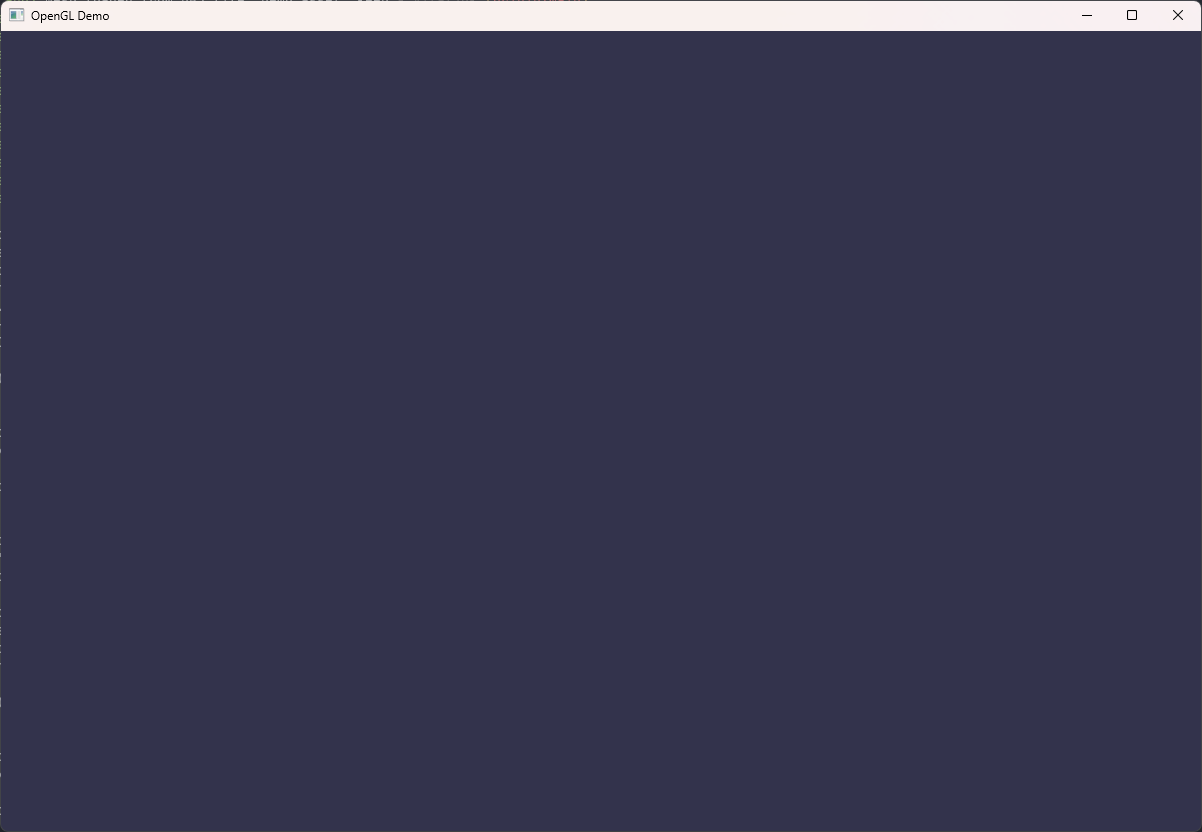 <!-- .element class="r-stretch" --> Notes: Basic window and OpenGL initialization. --v-- ## Window resize ```c++ void windowResizeCb(GLFWwindow *window, int width, int height) { glViewport(0, 0, width, height); } glfwSetFramebufferSizeCallback(window, windowResizeCb); ``` ## Keyboard inputs ```c++ if (glfwGetKey(window, GLFW_KEY_ESCAPE)) { glfwSetWindowShouldClose(window, true); } ``` Notes: Nice to have features: - update OpenGL config when window is resized; - use `Esc` to exit. --s-- ## OpenGL State Machine  <!-- .element class="r-stretch" --> Notes: OpenGL is one huge state machine. Similar to audio mixer, where inputs from microphones "flow" through number of knobs and switches until reach the output. In OpenGL we setup these "knobs" to get desired output. --v-- ## OpenGL State Machine (example) ```c++ glViewport(0, 0, 1200, 800); // state glClearColor(0.2f, 0.2f, 0.3f, 1.0f); // state glClear(GL_COLOR_BUFFER_BIT); // action glEnable(GL_DEPTH_TEST); // state glDrawBuffer(...); // action glBindTexture(GL_TEXTURE_2D, 42); // state glDrawBuffer(...); // action ``` Notes: Similar to mixing console with a lot of knobs and switches. Depending on internal state, the same input can produce different outputs. Default values can vary between vendors. "Draw" calls use whole state, not only recent changes. --s-- ## Input assembler  - Inputs: vertex coordinates (bytes) - Interprets bytes as inputs for next stages --v-- ## Normalized Device Coordinates 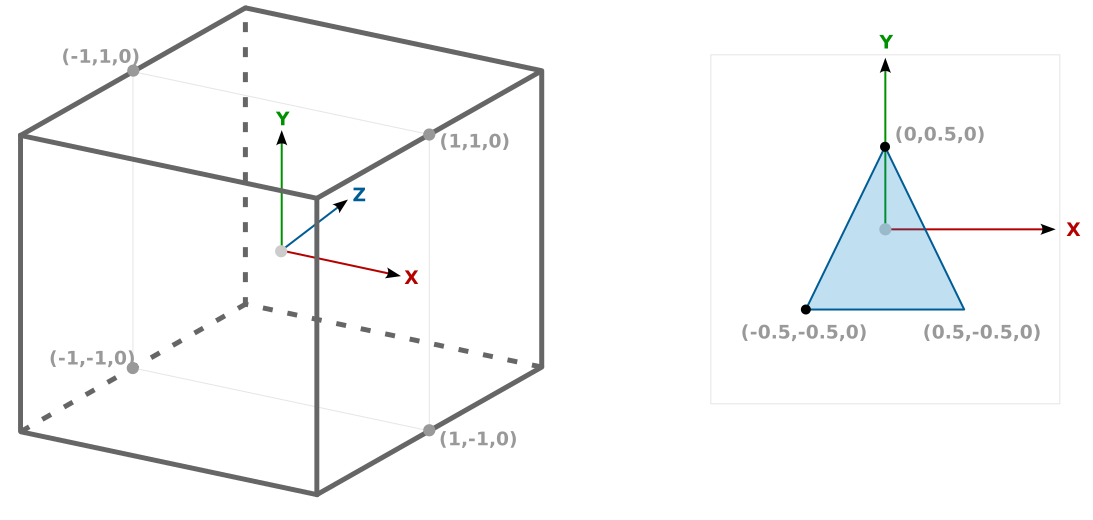 Notes: Device handles coordinates only within NDC cube. It shows elements on a screen as if viewed from the front of the cube. --v-- ## Input buffer  ```c++ // raw array const float vertices[] = {-0.5, -0.5, 0.0, 0.5, -0.5, 0.0, 0.0, 0.5, 0.0}; // collection of GLM structs const std::vector<glm::vec3> vertices = { {-0.5, -0.5, 0.0}, { 0.5, -0.5, 0.0}, { 0.0, 0.5, 0.0}, }; ``` Notes: Input buffer will grow on later stages. Structs are easier to work with. `GLM` library helps to ensure matching memory layouts between CPU and GPU structs. --v-- ## Data structures ```mermaid graph BT vao[Vertex Array<br>Object] vbo[Vertex Buffer<br>Object] va0[Vertex<br>Attribute #0] va1[Vertex<br>Attribute #...] bytes@{ shape: doc, label: "Vertex coordinates<br>(bytes)" } desc0@{ shape: doc, label: "Description #0" } desc1@{ shape: doc, label: "Description #..." } vbo --> vao va0 --> vao va1 --> vao bytes --> vbo desc0 --> va0 desc1 --> va1 ``` Notes: We have to configure few data structures to provide vertex coordinates (bytes) to the device. Basically these are buffer for bytes and configuration how to read the buffer. --v-- ## Vertex Array Object (VAO) - Where to read input from? - memory buffers - How to interpret input? - description of vertex attributes ```c++ // variable for VAO identifier GLuint vertexArray; // create the VAO glGenVertexArrays(1, &vertexArray); // activate the VAO glBindVertexArray(vertexArray); ``` Notes: Create and activate VAO. All subsequent commands will "bind" to this VAO. --v-- ## Vertex Buffer Object (VBO) - Memory buffer in device VRAM for vertex data ```c++ // variable for buffer ID GLuint vertexBuf; // create memory buffer in device VRAM glGenBuffers(1, &vertexBuf); // activate buffer glBindBuffer(GL_ARRAY_BUFFER, vertexBuf); // upload bytes to the buffer glBufferData(GL_ARRAY_BUFFER, vertices.size() * sizeof(vertices[0]), vertices.data(), GL_STATIC_DRAW); ``` Note: The buffer will belong to previously activated VAO object. 3(vertices) x 3(components) x 4(float) = 36 bytes --v-- ## Vertex attribute description ```c++ // enable attribute #0 glEnableVertexAttribArray(0); // describe attribute #0 // number of components: 3 (X, Y, Z) // data type for each component: GL_FLOAT // normalized: GL_FALSE - interpret directly as floats // byte offset between attributes: 3 * 4 = 12 bytes // offset of the first component of the first attribute: 0 glVertexAttribPointer(0, 3, GL_FLOAT, GL_FALSE, sizeof(glm::vec3), (void *)0); ``` --v-- ## Vertex Array Object (all together) ```c++ // VAO - Vertex Array Object GLuint vertexArray; glGenVertexArrays(1, &vertexArray); glBindVertexArray(vertexArray); // VBO - Vertex Buffer Object GLuint vertexBuf; glGenBuffers(1, &vertexBuf); glBindBuffer(GL_ARRAY_BUFFER, vertexBuf); glBufferData(GL_ARRAY_BUFFER, sizeof(vertices[0]) * vertices.size(), vertices.data(), GL_STATIC_DRAW); glEnableVertexAttribArray(0); glVertexAttribPointer(0, 3, GL_FLOAT, GL_FALSE, sizeof(glm::vec3), (void *)0); ``` --s-- ## Shaders  - Run same logic *for each* vertex / fragment - Produce inputs for the next stages - GLSL (OpenGL Shading Language) --v-- ## Vertex shader ```glsl #version 450 core // input #0 in VAO attributes layout(location = 0) in vec3 aPos; void main() { // very complex transformation of coordinates gl_Position = vec4(aPos.xyz, 1.0); } ``` Note: Requirement: output `gl_Position` as (x,y,z,w) vector (`w` is perspective division). --v-- ## Fragment shader ```glsl #version 450 core // by default output #0 is shown on the framebuffer layout(location = 0) out vec4 fragColor; void main() { // very complex pixel color (RGBA) calculations fragColor = vec4(0.9, 0.5, 0.3, 1.0); } ``` --v-- ## Shader compilation ```c++ GLuint vertexShader = glCreateShader(GL_VERTEX_SHADER); const char *src = "...source of the shader..."; glShaderSource(vertexShader, 1, &src, NULL); glCompileShader(vertexShader); GLint success; glGetShaderiv(vertexShader, GL_COMPILE_STATUS, &success); if (!success) { std::string info(512, 0); glGetShaderInfoLog(vertexShader, 512, NULL, info.data()); throw std::runtime_error( std::format("Vertex shader compilation failed\n{}", info)); } ``` Note: Shader compilation happens at runtime. `*iv` suffix stands for "int vector". --v-- ## Shader linking ```c++ GLuint shaderProgram = glCreateProgram(); glAttachShader(shaderProgram, vertexShader); glAttachShader(shaderProgram, fragmentShader); glLinkProgram(shaderProgram); GLint success; glGetProgramiv(shaderProgram, GL_LINK_STATUS, &success); if (!success) { std::string info(512, 0); glGetProgramInfoLog(shaderProgram, 512, NULL, info.data()); throw std::runtime_error( std::format("Shader program linking failed\n{}", info)); } ``` Notes: Linking ensures that whole pipeline is functional. --v-- ## Shader source ```c++ // awkward const char *src = "...source of the shader..."; // read text file to string std::string source = readTextFile("assets/shaders/opengl-demo/demo.vert"); // get raw pointer to C-string when needed const char *src = source.c_str(); ``` --v-- ## Shared file utilities ```cmake # ./shared/CMakeLists.txt add_library(demo_shared STATIC demo/utils.cpp ) target_link_libraries(demo_shared) target_include_directories(demo_shared PUBLIC . ) add_library(demo::shared ALIAS demo_shared) ``` ```c++ std::vector<uint8_t> readFile(const std::string &fileName); std::string readTextFile(const std::string &fileName); ``` --v-- ## Shader organization - Shaders are heavily dependant on C++ source - input buffers - attribute descriptions - Shaders are accessed and compiled at runtime - executable path - Shaders *can be* provided in binary format - compiled offline into intermediate representation - SPIR-V for Vulkan Note: It is bad idea to mix sources and build artifacts. --v-- ## Shader organization <div class='cols'><div> ```cmake # ./opengl-demo/CMakeLists.txt include(cmake/ShaderUtils.cmake) add_executable(opengl-demo main.cpp ) add_shaders(opengl-demo demo.frag demo.vert ) ``` <!-- .element class="full-width" --> </div><div> ```cmake cg-demo/ +-- assets/ +-- shaders/ +-- opengl-demo +-- demo.frag # asset files +-- demo.vert # text or binary +-- opengl-demo/ +-- CMakeLists.txt +-- demo.frag # original +-- demo.vert # sources +-- main.cpp ``` <!-- .element class="full-width" --> </div></div> Notes: Asset files are produced by build system. Shaders can be compiled into SPIR-V. --s-- ## Running pipeline  --v-- ## Running pipeline ```c++ // setup VAO, VBO, shaders, etc. ... while (!glfwWindowShouldClose(window)) { ... // activate program glUseProgram(shaderProgram); // activate VAO glBindVertexArray(vertexArray); // draw 3 vertices glDrawArrays(GL_TRIANGLES, 0, 3); ... } ``` --v-- ## Hello, triangle! 👋 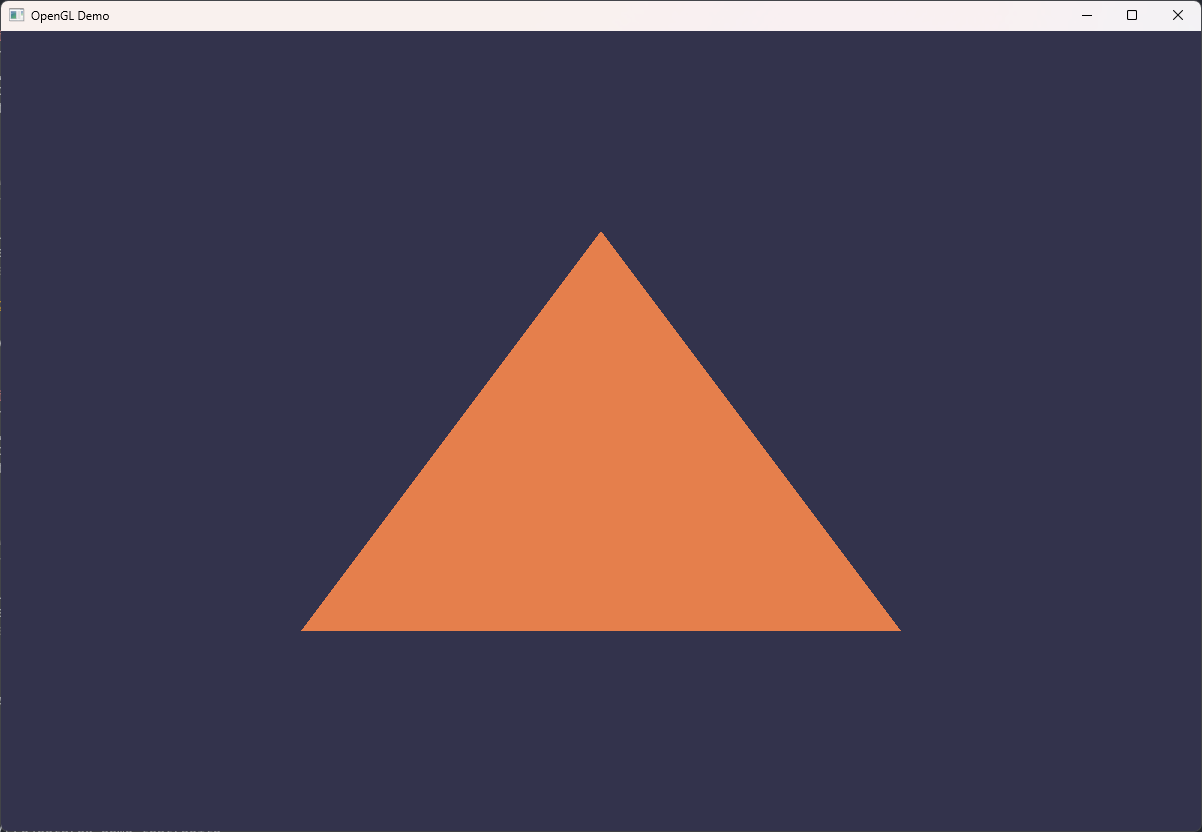 <!-- .element class="r-stretch" --> Notes: Very simple object, but requires configuration of the whole graphics pipeline. Driver "promises" that this triangle is drawn on GPU. Is it true? Who knows... :) --v-- ## Spoilers for next seminars 😉 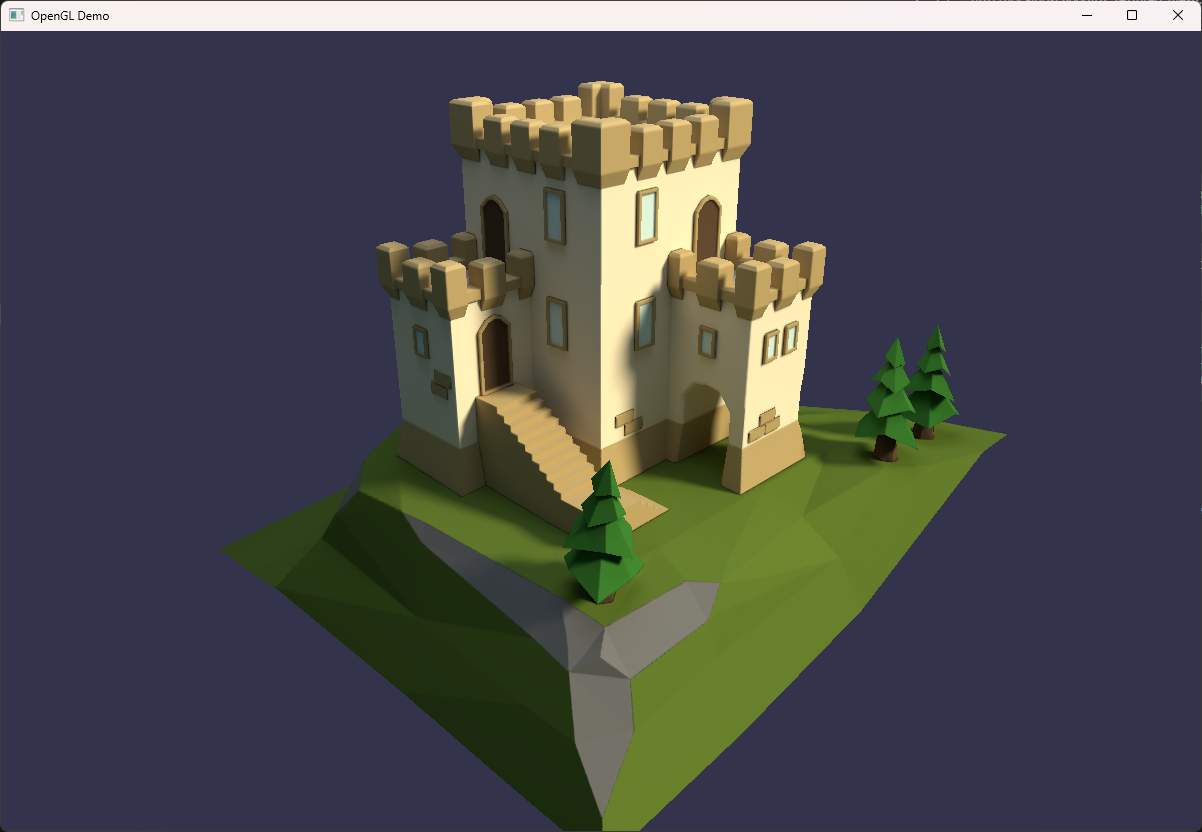 <!-- .element class="r-stretch" --> --v--  <!-- .element class="r-stretch" --> https://chat.whatsapp.com/JRlWHKhlvq42qRAk13gEGh